HS Article

How to Upload Full Size Images in WordPress

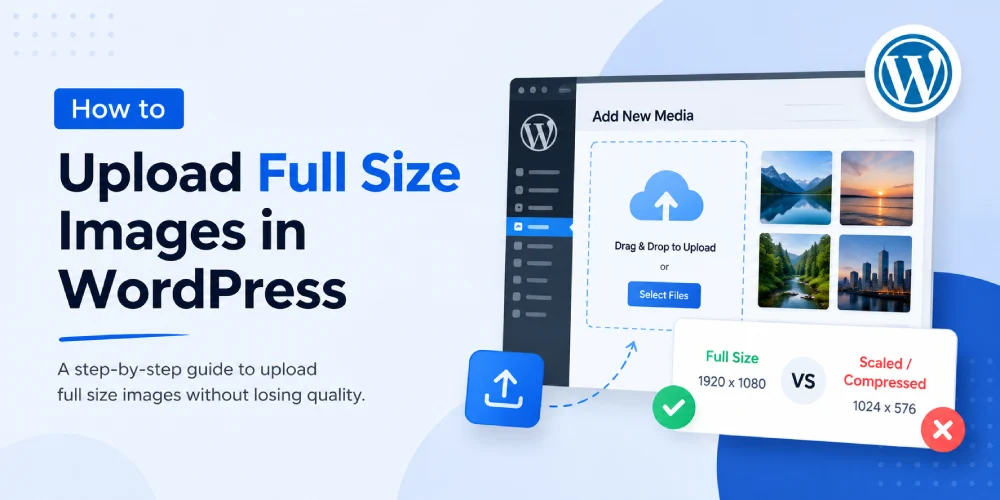
If you’ve ever uploaded a huge image to WordPress and noticed it got shrunk down, you’re not imagining things. Since version 5.3, WordPress automatically scales anything larger than 2560px. For some people this is great it keeps websites from choking on massive photos. But if you work with photography, design, or just want your images untouched, it can be annoying.

The fix is simple though. Drop this line into your functions.php file (or, if you hate touching code, use a snippets plugin):

🐘
filename.php
add_filter( 'big_image_size_threshold', '__return_false' );

That one line tells WordPress: “hands off my images.” From now on, whatever you upload stays exactly the size you picked.

One quick tip: don’t just upload raw massive files straight from your camera. They’ll slow your site down a ton. I usually run my images through my free WebP converter before uploading — it shrinks them significantly while keeping them sharp.

That’s pretty much it. One line of code and you’re back in control.

5 1 vote
Article Rating
Subscribe
Notify of
guest
0 Comments
Oldest
Newest Most Voted
reading time calculator

How Long Should a Blog Post Be? Word Count Guide by Content Type

Every writer hits this question eventually. You finish a...

Read More
How to install wordpress on localhost using XAMPP

How to Install WordPress on Localhost Using XAMPP: A Step by Step Guide

If you’re building or testing a WordPress site, you...

Read More
Best Gradient tool

10 Best CSS Gradient Tools in 2026 (Generators, Galleries & Mesh Gradients Compared)

Searching for the best css gradient tools usually turns...

Read More
CSS hover effects

70+ CSS Hover Effects (Free Code, Copy & Paste)

CSS Button Hover Effects PreviewHTMLCSSCopy Get startedGet started Fill...

Read More
How to add GST/Tax in woocommerce

How to Add Tax/GST in WooCommerce: Full Setup Guide

Every WooCommerce store eventually has to deal with tax,...

Read More
Responsive Grid Layout

Responsive Grid Layout without Framework

How to Set Up a Responsive Grid Layout Without...

Read More
webp vs png vs jpg format image

WebP vs PNG vs JPG: Which Should You Use in 2026

You’ve probably done this a hundred times. You’re about...

Read More
pt vs px convertor

PT to PX: What’s the Difference and How to Convert Font Units

If you’ve ever copied a font size from Figma,...

Read More
CSS Gradient Banner

How to Use CSS Gradients in Web Design – Complete 2026 Guide

If you are designing websites in 2026, gradients are...

Read More
Free stock image websites

Top 13 Free Stock Image Websites

Most people grab an image from Google and call...

Read More