
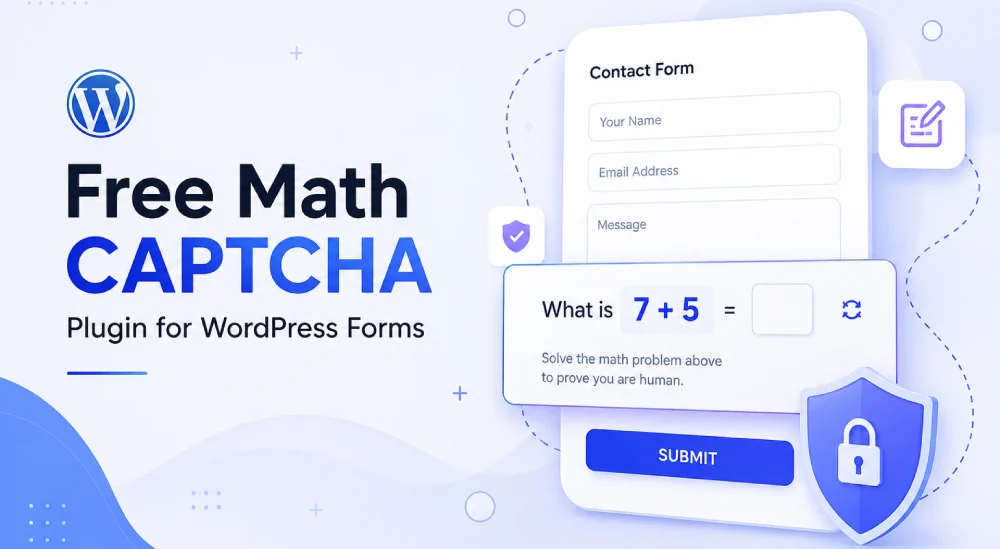

Quick Answer: If your WordPress contact form keeps getting spam submissions, a math CAPTCHA is one of the simplest fixes. It asks visitors to solve something like “5 + 3” before the form goes through. Bots trip over it, real people don’t even notice it. HSArticle Math CAPTCHA for Forms does exactly this for Contact Form 7, WPForms, and basically any HTML form, without needing an account with a third-party service, an API key, or any external script loading on your site.
If you’ve ever checked your WordPress inbox and found twenty messages about “crypto investment opportunities” or “SEO services,” you already know why this matters. Spam bots crawl the web looking for open forms and fill them out automatically. Most of them are dumb scripts, not sophisticated AI. A basic math question is enough to stop the majority of them cold.
Why Not Just Use a Third-Party CAPTCHA Service?
You can, and for some sites it’s the right call. But hosted CAPTCHA services come with a few trade-offs people don’t always think about upfront.
They load a script from a third-party server on every page where the CAPTCHA appears, which adds a small delay to page load. They also send visitor data off your site, which is something privacy-conscious site owners and EU-based businesses (thinking GDPR) would rather avoid. And depending on the service, real users sometimes get stuck clicking through image puzzles a couple of times before it lets them through.
A math CAPTCHA skips all of that. It runs entirely on your own server. Nothing gets sent anywhere. No account setup, no site key, no secret key to paste into a settings field. Install the plugin, turn it on, and it works.
The honest trade-off: a simple math question won’t stop a bot that’s specifically built to solve math and read your form fields with real browser automation. But that kind of targeted attack is rare for most blogs, portfolios, and small business sites. If you’re dealing with basic spam bots blasting your contact form, a math CAPTCHA handles it. If you’re a bigger target getting hit by custom-built bots, you’ll want to layer on something like Cloudflare Turnstile too.
What HSArticle Math CAPTCHA for Forms Actually Does
This isn’t just a plain “type the number” field. Here’s what’s under the hood:
- The math question can be addition, subtraction, or multiplication, and the number ranges are kept sensible so it’s never confusing for a real person.
- You can show it as a distorted image (harder for bots to read) or as plain text (better for accessibility).
- The correct answer is never sent to the browser. It’s stored server-side in a PHP session with an HMAC signature, so there’s nothing for a bot to inspect or fake by looking at your page source.
- There’s a honeypot field working quietly alongside the math question, a hidden field real users never see or fill in, but bots often do, which flags them automatically.
- If someone fails the CAPTCHA 10 times in 10 minutes, that IP gets rate-limited so brute-force attempts stop wasting your server resources.
- A refresh button lets visitors get a new question without reloading the whole page.
How to Set It Up
For Contact Form 7
- Install and activate HSArticle Math CAPTCHA for Forms from the Plugins screen.
- Open your Contact Form 7 form in the editor.
- Add the tag hs_mcf_captcha right before your [submit] button.
- Save the form. No separate tag generator step needed, since it’s registered directly with CF7.
For WPForms (Free or Pro)
If you’re on the free version of WPForms, you don’t need to touch any code. Go to the plugin’s settings page under Math CAPTCHA in your admin menu, and tick the forms you want protected. It gets injected automatically.
If you’re on WPForms Pro, you have the option to either add an HTML field and drop in hs_mcf_captcha, or just use the same auto inject setting mentioned above.
For Any Other HTML Form
Drop the shortcode hs_mcf_captcha anywhere inside your form and it renders the question and validates it on submit, no matter what form builder or custom form you’re using.
This means setup takes one extra step for CF7 and custom forms, and zero steps for WPForms Free with auto inject turned on.
A Quick Note on Caching
This plugin only starts a PHP session on pages that actually contain a form, so it won’t touch your site’s caching anywhere else. But on the pages where a form does live, it’s worth excluding that specific page from full-page caching in whatever caching plugin you use (WP Rocket, LiteSpeed Cache, W3 Total Cache, etc). This keeps the CAPTCHA session in sync and avoids validation errors for real visitors. This is standard advice for basically any CAPTCHA or session-based form protection, not something unique to this plugin.
Who Should Use This
- Site owners who want spam protection without loading external scripts or creating third-party accounts
- Anyone concerned about visitor data leaving their server
- Blogs, portfolios, and small business sites dealing with everyday form spam rather than sophisticated targeted attacks
- Contact Form 7 or WPForms users who want something that installs and just works without a config headache
If you’re also dealing with bot login attempts, not just form spam, check out HSArticle’s WordPress login CAPTCHA plugin, it works the same way but protects your login page instead of a form.
Frequently Asked Questions
Do I need an API key or account to use this?
No. Everything runs on your own server. There's nothing to register for and nothing to connect to a third party.
Will this slow down my site?
No external scripts are loaded, so there's no added request to any outside service. The only thing that changes is a PHP session starting on pages that have a form, and only those pages.
Does it work with WPForms Free?
Yes. Use the auto inject option in the plugin settings and it protects your chosen forms without needing an HTML field.
Is this GDPR friendly?
Yes. No data leaves your server. The math answer sits in a server-side session and gets cleared right after the form is validated.
What if my host has PHP sessions disabled?
Most shared hosting has sessions enabled by default. If the CAPTCHA is failing validation for everyone, check with your host. A few managed hosts (WP Engine being one example) restrict native PHP sessions and may need you to reach out to their support to get it enabled.