
If your traffic has dipped this year and you cannot point to a content problem, a broken link, or a lost backlink, there is a decent chance the answer is sitting quietly in Google Search Console under the Core Web Vitals report. Most site owners check it once, see a few red dots, panic a little, then forget about it for six months. That gap is exactly when rankings slip.
There is also a lot of noise online right now about what “changed” with Core Web Vitals in 2026. Some posts claim Google tightened the Largest Contentful Paint threshold from 2.5 seconds to 2.0 seconds. Others claim Interaction to Next Paint just became a ranking factor this year. Neither of those is accurate, and believing them can send you chasing the wrong fix. Below is what is actually true, what genuinely shifted, and what to do about it on a WordPress site without hiring a performance consultant.
What Core Web Vitals actually measure
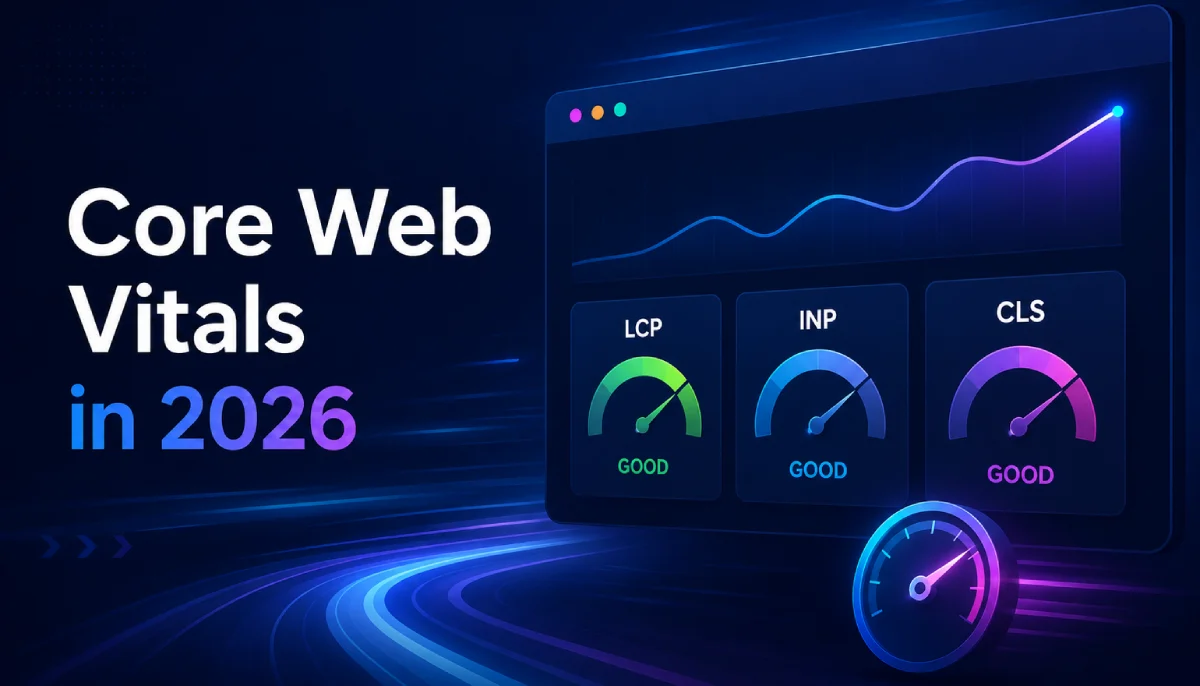
Core Web Vitals are three metrics Google uses to judge how a page feels to a real visitor, not how it looks in a code review.
- LCP (Largest Contentful Paint) – how long it takes for the biggest visible element (usually a hero image, banner, or heading block) to finish rendering.
- INP (Interaction to Next Paint) – how quickly the page responds after someone clicks, taps, or types, measured across every interaction on the page, not just the first one.
- CLS (Cumulative Layout Shift) – how much content jumps around while the page loads, like a button shifting down right as someone tries to tap it.
The official “good” thresholds have not moved this year. They are still LCP under 2.5 seconds, INP under 200 milliseconds, and CLS under 0.1, all measured on real visitor data at the 75th percentile through Chrome’s user experience report (CrUX). If you saw a claim that the LCP threshold dropped to 2.0 seconds in a March 2026 update, that is circulating on a few SEO blogs but does not match Google’s own documentation.
The real shift this year is not in the numbers, it is in how strictly INP gets enforced and how visible the gap has become between sites that treat performance as ongoing maintenance and sites that fixed it once and moved on.
INP is unforgiving in a way FID never was. FID only measured the delay before your very first interaction. INP tracks every interaction across the full page visit and reports close to the worst one. A site with a snappy homepage but a laggy filter dropdown or a sluggish comment form will still fail INP, even if the first click felt instant. This is why plenty of sites that passed Core Web Vitals comfortably in 2023 are now failing, without a single line of code changing on their end. The bar did not move. The measurement just got more thorough.
The pass rate gap between top rankings and everything else has widened. After the March 2026 core update, pages sitting in position one show a noticeably higher Core Web Vitals pass rate than pages sitting further down the first page. Google still treats content relevance as the dominant ranking factor, but when two pages are otherwise close on quality, Core Web Vitals is increasingly the thing that decides which one wins.
Third party scripts are the most common silent killer. Chat widgets, cookie consent banners, ad tags, and tracking pixels are consistently the top cause of INP regressions in 2026 audits, because they attach event listeners and run synchronous code the site owner never touches directly. You can optimize every line of your own theme and still fail INP because of a plugin you installed eighteen months ago.
A large share of the web is still failing. Roughly a quarter of all sites measured are still failing LCP, and a similar share are failing INP. If your site is in that group, you are not alone, but you are also leaving an easy, well documented advantage on the table.
Is Core Web Vitals actually why your rankings dropped
Before you spend a weekend chasing millisecond improvements, rule out the more common causes first. Core Web Vitals is worth investigating seriously if:
- Your Search Console Core Web Vitals report shows a real jump in “Poor” or “Needs improvement” URLs around the time your traffic dropped
- The drop lines up with a specific date, like adding a new plugin, switching themes, or a core update on the Search Status Dashboard
- Your content, backlinks, and search intent match have not meaningfully changed
If none of that lines up, look at content quality and search intent first. Passing Core Web Vitals will not rescue a page that no longer answers the query well, and a perfect performance score has never outranked genuinely better content. Core Web Vitals is a tie breaker, not a trump card, but tie breakers matter more than most people assume once your competitors are all roughly as relevant as you are.
How to check your actual numbers
Go to Search Console, then Experience, then Core Web Vitals. This pulls real visitor data grouped by URL, not a lab simulation, which is exactly what Google uses for ranking. Sort by “Poor” first and look for patterns. Often it is not every page, it is one template, like your product pages or a specific post type, all sharing the same slow element.
For a single page deep dive, PageSpeed Insights gives you both the field data and a lab run, and it will usually name the specific element causing your LCP or CLS problem by ID or class name, which saves a lot of guessing.
Fixing LCP on a WordPress site
LCP is almost always one of three things: a slow server response, an unoptimized hero image, or render blocking resources delaying the largest element.
- Compress and properly size your largest images before upload, and serve modern formats like WebP where you can
- Use a caching plugin or hosting level cache so the server response time itself is not the bottleneck, since a slow server puts a hard floor under every other optimization
- Preload the hero image instead of lazy loading it, since lazy loading the very element Google is timing usually makes LCP worse, not better
- Trim render blocking CSS and JS above the fold, especially from page builders that load large stylesheets even for simple pages
Fixing INP on a WordPress site
INP responds well to a few specific, boring fixes rather than a full rebuild.
- Audit every third party script quarterly, chat widgets, analytics, and ad tags are the most common offenders
- Break up long running JavaScript tasks instead of running them all at once on interaction
- Defer non essential scripts so they load after the page is interactive, not before
- Test your actual interactive elements, not just page load, things like search bars, filters, and add to cart buttons are where INP problems hide
Fixing CLS on a WordPress site
CLS is the most fixable of the three because the causes are consistent and predictable across almost every site.
- Always set width and height attributes on images, videos, and embeds so the browser reserves space before the file loads
- Handle cookie banners and promo bars carefully so they do not push content down after the page has already rendered
- Watch font loading, a font swap that changes line length can quietly shift an entire page layout
- Reserve fixed space for ad containers and embeds even when you do not control what loads inside them
Treat it as maintenance, not a one time fix
The sites that keep their ranking benefit are the ones that check Core Web Vitals quarterly, especially after any new plugin, theme update, or page template change. A performance budget is worth setting even informally, something as simple as checking Search Console after every major site change, so a new feature does not quietly undo months of earlier optimization work.
If you only take one thing from this, take this: check your Search Console Core Web Vitals report today, filter for Poor URLs, and see if there is a pattern. That five minute check tells you more about a ranking drop than almost anything else you could try first.
Frequently Asked Questions
Do Core Web Vitals really affect Google rankings in 2026?
Yes, but as a supporting signal, not the main one. Content relevance and backlinks still matter more, and Core Web Vitals functions as a tie breaker between pages of otherwise similar quality.
Did Google lower the LCP threshold to 2.0 seconds in 2026?
No. This claim is circulating on several SEO blogs, but Google's own documentation still lists the good LCP threshold as 2.5 seconds or under.
What replaced First Input Delay?
Interaction to Next Paint (INP) replaced First Input Delay (FID) as the official responsiveness metric in March 2024. If you are still optimizing for FID, you are measuring the wrong number.
Why is my site failing INP when it feels fast to me?
INP measures every interaction across the full page visit, not just the first click. A slow filter, search bar, or form somewhere on the page can drag your score down even if the initial load feels instant.
How often should I check Core Web Vitals?
Quarterly at minimum, and immediately after any new plugin install, theme update, or major template change, since these are the most common causes of a sudden regression.